
images.Padding
Returns an image filter that resizes the image canvas without resizing the image.
Syntax
images.Padding V1 [V2] [V3] [V4] [COLOR]
Returns
images.filter
The last argument is the canvas color, expressed as an RGB or RGBA hexadecimal color. The default value is ffffffff (opaque white). The preceding arguments are the padding values, in pixels, using the CSS shorthand property syntax. Negative padding values will crop the image.
Usage
Create the filter:
{{ $filter := images.Padding 20 40 "#976941" }}使用 images.Filter 函数应用滤镜:
{{ with resources.Get "images/original.jpg" }}
  {{ with . | images.Filter $filter }}
    <img src="{{ .RelPermalink }}" width="{{ .Width }}" height="{{ .Height }}" alt="">
  {{ end }}
{{ end }}
您也可以使用 Resource 对象上的 Filter 方法应用滤镜:
{{ with resources.Get "images/original.jpg" }}
  {{ with .Filter $filter }}
    <img src="{{ .RelPermalink }}" width="{{ .Width }}" height="{{ .Height }}" alt="">
  {{ end }}
{{ end }}
{{__hugo_ctx/}}


Combine with the [`Colors`] method to create a border with one of the image's most dominant colors:

[`Colors`]: /methods/resource/colors/

```go-html-template
{{ with resources.Get "images/original.jpg" }}
  {{ $filter := images.Padding 20 40 (index .Colors 2) }}
  {{ with . | images.Filter $filter }}
    <img src="{{ .RelPermalink }}" width="{{ .Width }}" height="{{ .Height }}" alt="">
  {{ end }}
{{ end }}
Example
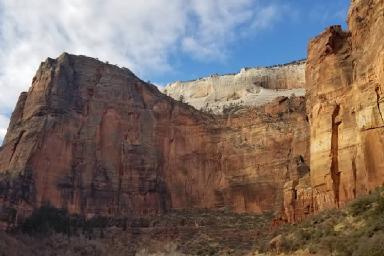
Original
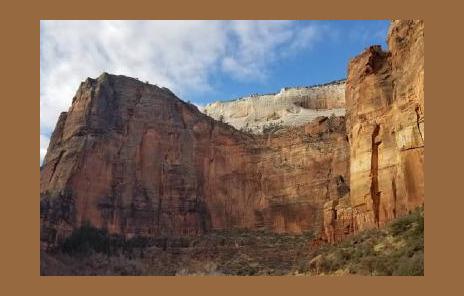
Processed
Other recipes
This example resizes an image to 300px wide, converts it to the WebP format, adds 20px vertical padding and 50px horizontal padding, then sets the canvas color to dark green with 33% opacity.
Conversion to WebP is required to support transparency. PNG and WebP images have an alpha channel; JPEG and GIF do not.
{{ $img := resources.Get "images/a.jpg" }}
{{ $filters := slice
  (images.Process "resize 300x webp")
  (images.Padding 20 50 "#0705")
}}
{{ $img = $img.Filter $filters }}
To add a 2px gray border to an image:
{{ $img = $img.Filter (images.Padding 2 "#777") }}