
Hugo Figure 短代码
使用 figure 短代码在你的内容中插入 HTML figure 元素。
要覆盖 Hugo 内置的 figure 短代码,请将 源代码 复制到 layouts/_shortcodes 目录中同名文件中。
示例
使用此标记:
{{< figure
  src="/images/examples/zion-national-park.jpg"
  alt="锡安国家公园的照片"
  link="https://www.nps.gov/zion/index.htm"
  caption="锡安国家公园"
  class="ma0 w-75"
>}}
Hugo 渲染此 HTML:
<figure class="ma0 w-75">
  <a href="https://www.nps.gov/zion/index.htm">
    <img
      src="/images/examples/zion-national-park.jpg"
      alt="锡安国家公园的照片"
    >
  </a>
  <figcaption>
    <p>锡安国家公园</p>
  </figcaption>
</figure>
在浏览器中看起来像这样:
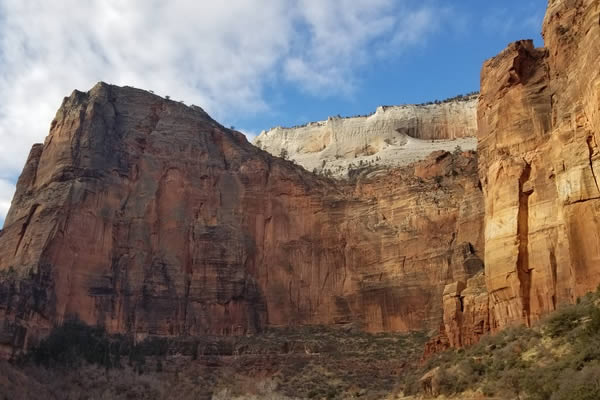
锡安国家公园
参数
- src
- (
string)img元素的src属性。通常是 页面资源 或 全局资源。 - alt
- (
string)img元素的alt属性。 - width
- (
int)img元素的width属性。 - height
- (
int)img元素的height属性。 - loading
- (
string)img元素的loading属性。 - class
- (
string)figure元素的class属性。 - link
- (
string) 包裹img元素的锚元素的href属性。 - target
- (
string) 包裹img元素的锚元素的target属性。 - rel
- (
rel) 包裹img元素的锚元素的rel属性。 - title
- (
string) 在figurecaption元素内,标题位于顶部,包裹在h4元素内。 - caption
- (
string) 在figurecaption元素内,说明文字位于底部,可以包含纯文本或 Markdown。 - attr
- (
string) 在figurecaption元素内,归属信息出现在说明文字旁边,可以包含纯文本或 Markdown。 - attrlink
- (
string) 包裹归属信息的锚元素的href属性。
图片位置
figure 短代码通过查找匹配的 页面资源 来解析内部 Markdown 目标,回退到匹配的 全局资源。远程目标直接传递,如果无法解析目标,渲染钩子不会抛出错误或警告。
你必须将全局资源放在 assets 目录中。如果你已将资源放在 static 目录中,并且无法或不愿移动它们,则必须通过将以下两个条目都包含在你的站点配置中,将 static 目录挂载到 assets 目录:
module:
  mounts:
  - source: assets
    target: assets
  - source: static
    target: assets
[module]
  [[module.mounts]]
    source = 'assets'
    target = 'assets'
  [[module.mounts]]
    source = 'static'
    target = 'assets'
{
   "module": {
      "mounts": [
         {
            "source": "assets",
            "target": "assets"
         },
         {
            "source": "static",
            "target": "assets"
         }
      ]
   }
}